
Why Your APK Isn’t Installing on Android and IOS: Common Problems & Easy Fixes
Today
No Vesion
Android and IOS
Description
Trying to install an APK on your Android phone but getting an error? You’re not alone. APK installation can fail for several reasons, including incompatible Android versions, blocked installation permissions, corrupted files, or insufficient storage.
The good news is that most APK installation problems are easy to identify and fix. In this guide, we’ll explain the most common reasons an APK won’t install and what you can do about them.

Your Android Version Isn’t Compatible
One of the first things to check is Android compatibility.
Some require a specific Android version. If your phone is running an older version than the app supports, Android may prevent the installation.
What to do:
- Check the minimum Android requirement.
- Check your phone’s Android version in Settings → About Phone.
- Update Android if an official update is available.
- Try a version of the app that is compatible with your device.
Installation From Unknown Sources Is Blocked
Modern Android versions can block APK installations from sources that haven’t been permitted to install apps.
If you downloaded the APK through Chrome, for example, Chrome may need permission to install it.
Go to:
Settings → Apps → Special App Access → Install Unknown Apps
Select the app you used to download and enable permission if you trust the source.
The exact menu names can vary depending on your Android phone manufacturer and Android version.
The APK File May Be Corrupted
An incomplete or damaged download can cause installation errors.
This can happen if your internet connection was interrupted while downloading the file.
Try this:
- Delete the downloaded APK.
- Make sure you have a stable internet connection.
- Download the file again from a source you trust.
- Check that the download completed successfully.
- Try installing the new file.
Avoid installing an APK if the file has an unexpected extension or appears to have been modified.
Your Phone Doesn’t Have Enough Storage
Android needs enough free storage to install and run applications.
If your device is nearly full, the installation may fail.
Check:
Settings → Storage
Delete unnecessary files, videos, downloads, or unused apps if you need additional space.
Then restart the installation.
Another Version of the App Is Already Installed
Sometimes Android won’t install an app because another version of the same application is already installed, especially when it has a different signing key.
If you already have the application installed, check whether an update is available.
Important: Before uninstalling an existing app, make sure you know whether its data or account information will be removed.
The APK May Not Be the Correct Package
Not every Android download is a simple standalone.
Some applications are distributed as split APKs or app bundles that require additional files. Installing only one component may result in an installation failure.
If the download contains multiple APK files, don’t randomly install them individually. Use the application’s official distribution method or a reputable installer that supports the package format.
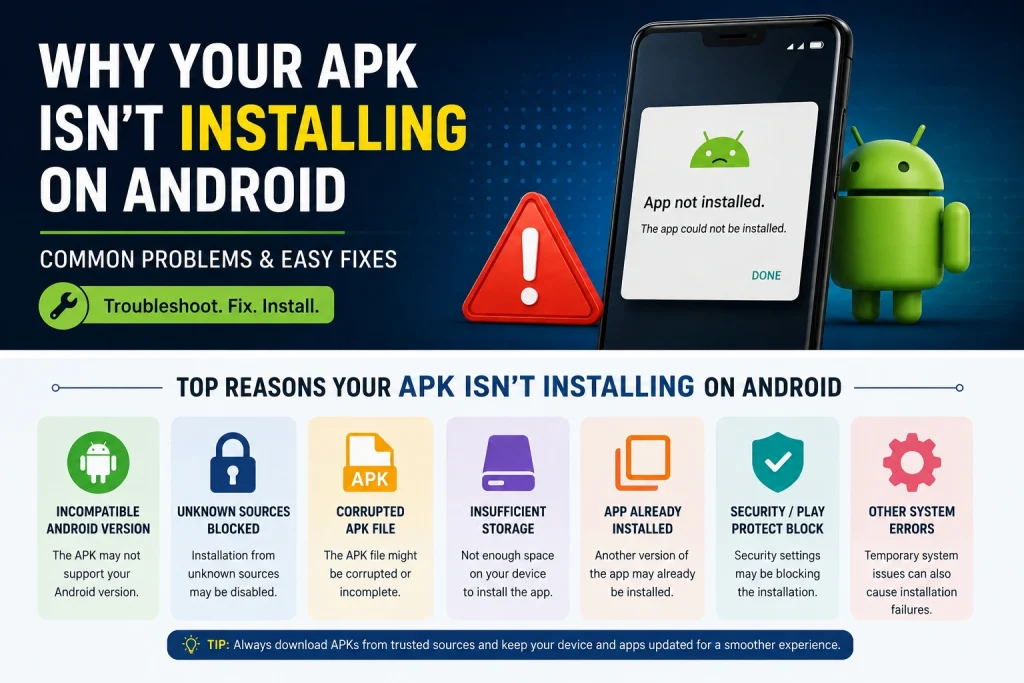
Android Security May Be Blocking the Installation
Android includes security features that can warn or prevent users from installing potentially harmful applications.
If your device displays a security warning, don’t automatically ignore it.
First verify:
- Where the APK came from
- Whether the developer is known
- Whether the file is the correct version
- Whether the download has been altered
If you cannot verify the source, it’s safer not to install the file.
Restart Your Phone
It sounds simple, but restarting your Android device can sometimes resolve temporary installation or storage-related problems.
After restarting:
- Locate the APK again.
- Confirm you have enough storage.
- Try the installation once more.
Quick Troubleshooting Checklist
Before trying again, check:
✅ Your Android version meets the app requirements
✅ You have enough free storage
✅ Downloaded completely
✅ The file came from a trustworthy source
✅ Installation permission is enabled when appropriate
✅ There isn’t a conflicting version already installed
✅ The package is compatible with your device
✅ Android isn’t displaying a security warning
Final Thoughts
An APK that won’t install doesn’t necessarily mean your phone has a serious problem. In many cases, the cause is simply an incompatible Android version, blocked installation permission, insufficient storage, or an incomplete download.
Before installing, always verify the source and make sure the file is intended for your device. If Android displays a security warning that you don’t understand, investigate it before continuing rather than bypassing the warning.
If you’ve checked everything above and the APK still won’t install, look for an official version of the application or contact the developer for compatibility information.
Related: Explore our latest Android game updates and guides on APK Royal Jeeto.Where you discover IC777 Game, Y999 Game, and more.